LuckyPays Mobile Casino: Browser Play on iPhone and Android
 Available in GB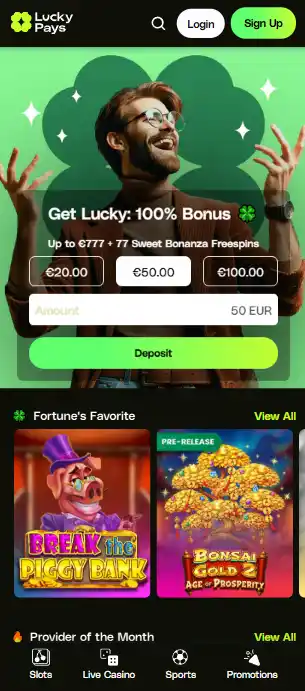
Mobile guide for UK readers
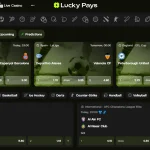
LuckyPays works as a mobile-browser casino rather than through a dedicated native iOS or Android app. The casino lobby, cashier and sportsbook can be used through a phone browser. In practice, you open the official LuckyPays site in Safari, Chrome or another modern browser, sign in and use the responsive web version instead of installing software. Anyone searching for a LuckyPays app should treat browser play as the official route and should not assume that an APK or third-party download is official simply because it uses the LuckyPays name.
The mobile version connects directly to LuckyPays games, betting, payments and account functions. You can compare the LuckyPays games, check the LuckyPays sportsbook, or review account setup before signing in on a phone.
Table of Contents
- What browser-first mobile use means in practice
- Before installing anything labelled LuckyPays
- Using LuckyPays on iPhone and Android
- Slots, live casino and sportsbook are part of the mobile decision
- Mobile wallets fit the browser model, but cashier checks still matter
- A quick mobile checklist before you sign in
- Why LuckyPays works as a browser-first mobile casino
- The practical trade-offs of browser-first mobile play
What browser-first mobile use means in practice
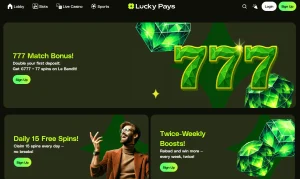
A browser-first casino removes the app-install step. You visit the official domain, use the current sign-in flow and move through the site as a responsive web page. The game library, cashier and sportsbook are accessible in the mobile browser without extra software.
The practical advantage is simplicity. There is no app-store update to install, no separate account to maintain and no APK package to sideload. The trade-off is that the experience depends on your browser, operating-system version, connection and the site’s current responsive design. No universal load-time, frame-rate or battery-use figure should be assumed across different phones, browsers and connections.
If you use LuckyPays regularly, a browser bookmark or home-screen shortcut can reduce the friction of returning to the site. That shortcut is still just a link to the web version. It should not be confused with a native LuckyPays application.
Using LuckyPays on iPhone and Android
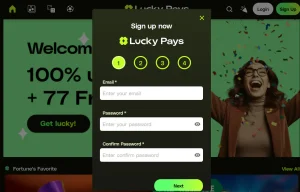
On iPhone, the straightforward route is to open the site in Safari or another supported browser and use the web interface. On Android, the same principle applies through Chrome or another modern browser. The absence of a dedicated app does not stop a browser session from providing account access, casino categories and sportsbook navigation.
For a useful test, do not judge the site only from the home screen. Open the lobby, enter a game category, move to the sportsbook and return to the account area. A responsive site can look fine on its landing page while still becoming awkward in deeper menus. Current independent testing describes the LuckyPays layout as adapting to a smaller screen, but older or heavily restricted devices can still behave differently.
It is also sensible to rotate the phone and test the orientation you actually use. Live tables, long sportsbook markets and cashier lists place different demands on a narrow screen. The browser route gives you access without an installation, but your own device remains the final check for readability and controls.
Slots, live casino and sportsbook are part of the mobile decision
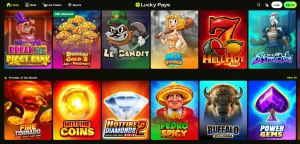
LuckyPays offers slots, a live casino and sports plus esports betting, and the browser version provides access to the game library and sportsbook. That matters more than a simple statement that the homepage is mobile-friendly: the value of browser play depends on whether the part of the site you actually use is reachable on a phone.
For casino play, start with the casino games and betting overview rather than assuming every desktop title behaves identically on every handset. Game providers control much of the actual game client, and screen size can affect how comfortable menus, paytables and live-table controls feel. For betting, the dedicated sports and esports betting guide covers the sportsbook without assuming market counts, odds features or cash-out functions.
The useful distinction is access versus performance. These categories are accessible through the mobile browser, but performance can vary across iPhones, Android phones, tablets, mobile networks and Wi-Fi connections.
Mobile wallets fit the browser model, but cashier checks still matter
LuckyPays supports Apple Pay and Google Pay as payment options. Their presence fits naturally with a browser-first experience because both are familiar mobile-wallet routes. It does not follow that either wallet will be available for every transaction, every account or both deposit and withdrawal.
When using a phone, check the live cashier before committing to a payment route. Read the currency, limits, transaction direction and any fee information shown for your account. A wallet button can be convenient for a deposit but still leave a different route for a later withdrawal. The mobile browser does not change that distinction.
For security, keep payment approval inside the normal wallet or banking flow on your device. If a page redirects you to an unfamiliar installer or asks you to download software merely to use a payment method, stop and verify the domain and transaction path first.
A quick mobile checklist before you sign in
| Check | Why it matters | What LuckyPays offers |
|---|---|---|
| Domain | Protects against lookalike download and login pages | Official brand URL is luckypays.io |
| App status | Prevents unnecessary or unsafe installation | No dedicated native iOS or Android app identified |
| Browser access | Confirms the main mobile route | Mobile-browser play is supported |
| Product access | Checks whether the section you want is practical on a phone | Slots, live casino and sportsbook are established LuckyPays categories |
| Wallet options | Separates mobile convenience from transaction eligibility | Apple Pay and Google Pay are supported payment options |
Why LuckyPays works as a browser-first mobile casino
LuckyPays does not need a native app to provide its main mobile route: browser access covers the casino, cashier and sportsbook, with slots, live casino and sports betting all part of the wider product. For a UK reader, the important trade-off is convenience versus software certainty – the browser removes an installation step, but you should still verify the official domain and avoid unofficial app packages. Apple Pay and Google Pay add familiar mobile payment options, while their exact account-level availability still belongs to the live cashier. If that browser-first model suits how you use your phone, the next practical step is to review LuckyPays registration before entering account or payment details.
The practical trade-offs of browser-first mobile play
Using LuckyPays in a browser removes the need to install a separate iPhone or Android application. That makes access straightforward: open luckypays.io, sign in and use the responsive site. It also means that any home-screen icon you create is simply a shortcut back to the web service rather than a separate piece of LuckyPays software.
For security and account clarity, keep the official domain at the centre of the routine. A third-party download, APK file or store listing should not be treated as official merely because it uses the LuckyPays name. The browser route gives you a simple reference point for registration, the cashier, games and sports betting without introducing another installation source.
The product categories available on LuckyPays still matter on a smaller screen. Slots, live casino, sports and esports betting are part of the wider service, but each use case places different demands on the layout. A slot may need little navigation once it is open, a live table needs comfortable video and controls, and a sportsbook needs readable event lists and a manageable bet slip. Testing the section you actually care about is more useful than treating mobile access as one yes-or-no feature.
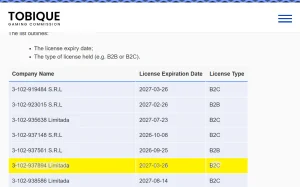
Apple Pay and Google Pay also fit naturally with phone use, although their appearance and role in a particular transaction should be checked in the cashier. Browser access and mobile-wallet support together can make phone use convenient, but they do not change bonus conditions, withdrawal rules or licence status. Those questions remain separate parts of the LuckyPays decision.
Before making a first deposit on a phone, move through the account area and cashier in portrait orientation and make sure the important controls remain easy to read. The same browser route can then be used for games or betting, while account and payment decisions stay attached to the official site rather than a separate download.
Browser access also keeps the account route consistent between desktop and phone. The same official domain can be used to reach registration, the cashier and the main product areas, which reduces the need to decide whether a separate download is genuine. For players who move between devices, that continuity can be more useful than an app icon on its own. For the broader context, return to the LuckyPays overview.